Website Security Best Practices Every Business Should Follow in 2026
- Post By: FAISAL MUSTAFA
- Published: August 13, 2026
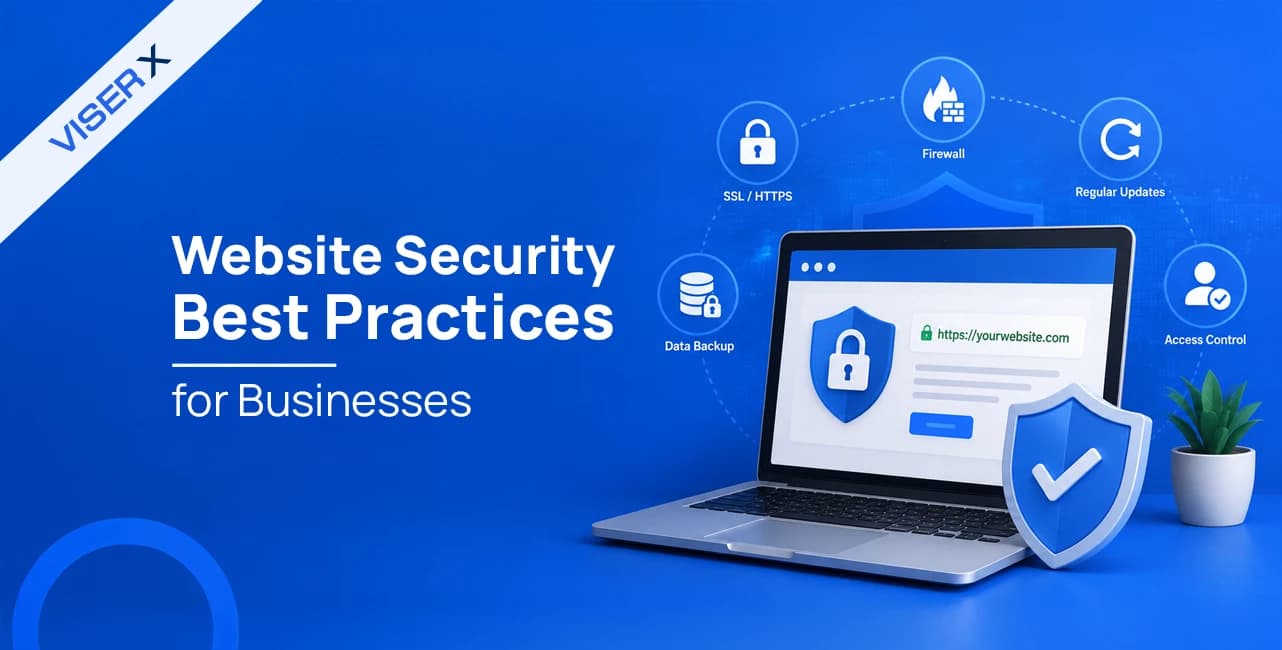


Website security best practices require checking every piece of data that enters your site, locking down who can access what, and scrambling (encrypting) data so outsiders cannot read it.
Core measures include a security certificate for your site, a second login step for accounts, a traffic filter called a firewall, and regular backups, all layered with extra settings for the shared hosting most Bangladeshi businesses actually use.
Getting this right starts at the build stage, which is why strong web development services treat security as part of the site, not an add-on. Here are the best practices that you can see at a glance:
Data Protection and Access Control
- Turn on HTTPS: Install a security certificate so all traffic between your site and its visitors is scrambled and cannot be read by outsiders. Also turn on HSTS, a setting that forces browsers to always use this safe connection.
- Encrypt your data: Scramble information while it travels (in transit) and while it sits in your database (at rest), and never store passwords as plain, readable text.
- Limit access: Give each person only the account permissions they actually need for their job. A content writer should never be able to touch server settings.
- Treat AI visitors as strangers: AI browsing tools now visit websites on people's behalf. Treat them the same way you would treat an unknown visitor, and remove any hidden instructions that could trick them from comments or reviews on your site.
Authentication and Monitoring
- Require a second login step: This is called multi-factor authentication, or MFA. It means a password alone is not enough. A code sent to a phone or app is also needed.
- Use strong passwords: Require 12 to 16 characters and never reuse the same password across different accounts.
- Watch for malware: Malware is harmful software that sneaks onto a site. Free tools like Wordfence, Sucuri, or OWASP ZAP scan for it and flag failed logins or unexpected file changes.
- Block repeated login attempts: Tools like Fail2Ban or cPHulk automatically block anyone who keeps guessing passwords over and over.
Infrastructure and cPanel Hardening
- Add a firewall: A web application firewall, or WAF, checks traffic before it reaches your site and blocks harmful requests, bots, and traffic floods. Cloudflare, Sucuri, and ModSecurity are common choices.
- Keep everything updated: Update your website software (CMS), plugins, and themes regularly, and delete anything that has not been updated in over a year.
- Separate risky code: On shared hosting, isolate each website's programming language settings so one outdated site cannot put others at risk.
- Lock down file access: Set strict file permission rules and block public access to files that store passwords and site secrets.
Backup, Domain, and Compliance
- Follow the 3-2-1 backup rule: Keep three copies of your data, on two different types of storage, with one copy stored somewhere else entirely. Test that the backup actually works every month.
- Protect your domain: Turn on two-step login and a lock on your domain registrar account, and set your DNS records (the system that points your domain to your server) to update quickly if something goes wrong.
- Prove your emails are real: Set up SPF, DKIM, and DMARC, three records that tell email providers your messages really come from your domain, not a scammer pretending to be you.
- Track legal rules: Follow data protection laws like GDPR, PCI DSS, and Bangladesh's Cyber Security Ordinance and PDPO, which carry fines of up to 5% of a company's yearly revenue.
Read through the sections below for the full reasoning, setup steps, and the shared hosting and AI-driven threats most guides skip. That is what turns this list into a concrete plan for your own site.
Website Security Is a Business Risk, Not Just an IT Task
A security failure does not stay in the server room.
It hits sales, legal, marketing, and customer trust all at once, which is why business leaders need to be part of this conversation, not just the developers.
The Real Cost of a Hacked Website
When a website gets broken into, the damage rarely ends with fixing the code.
Sales stop while the site is down. Search engines may flag the site or remove it from results. Legal trouble can open up under data protection laws.
Customers who see a security warning rarely come back. Ransomware attacks, where hackers lock up a company's files until they get paid, caused an estimated $74 billion in damage worldwide in 2026.
The average total cost of a data breach now sits at roughly $5.08 million once downtime, cleanup, and reputation damage are all added up.
|
|
|
|
|
|
|
|
|
|
|
|
|
|
|
|
|
|
|
|
|
|
|
|
|
|
|
|
A site marked with a "Not Secure" browser warning or a malware alert usually sees a sharp drop in visitors right away, since people bounce off and search engines push the page lower in results.
That drop can take months to reverse, even after the technical problem is fixed.
In short, a hacked website costs a business in four ways at once: lost sales from downtime, lost visibility from warnings and being removed from search results, legal fines under laws like GDPR and Bangladesh's PDPO, and long-term trust damage that takes far longer to repair than the code itself.
Why small and mid-sized businesses are common targets, not exceptions
Many small business owners believe hackers only go after large companies. The opposite is true.
Small and mid-sized businesses get targeted precisely because they usually lack dedicated security staff, run outdated software, and skip basic protections like a second login step.
Most attacks come from automated computer programs, or bots, scanning millions of sites for known weak spots, not from someone targeting your company by name.
Any website running old software or leaving its admin login exposed is fair game, no matter how small the business is.
Smaller companies are also a way in to the networks of the larger partners they work with, which makes this a shared risk, not just a personal one.
The Core Website Security Best Practices Checklist
This condensed list focuses on the actions that make the biggest difference, ones a business can realistically put in place without a dedicated security team.
Across the hosting and CMS setups we manage, the sites that get hit hardest are almost always missing two or three items on this list, not all eight.
|
|
|
|
|
|
|
|
|
|
|
|
|
|
|
|
|
|
|
|
|
|
|
|
|
|
|
|
|
|
|
|
|
|
|
|
|
|
|
|
|
|
|
|
|
Install an SSL/TLS Certificate and Enforce HTTPS
Every business website needs a security certificate, often called an SSL/TLS certificate.
It scrambles the information that travels between your site and its visitors, so nobody in between can read it.
Free options like Let's Encrypt make this cost nothing, so there is no reason to skip it.
Once it's installed, redirect all traffic to the secure version of your site (HTTPS) and turn on HSTS, a setting that forces browsers to always use that safe connection instead of the older, unprotected one.
This stops a trick where a hacker forces a connection back to the unencrypted version, and it removes the "Not Secure" warning that scares visitors away.
Keep Your CMS Plugins and Themes Patched
A CMS, short for content management system, is the software that runs your website, like WordPress.
Outdated CMS software, plugins, and themes remain the single biggest way hackers break in.
Turn on automatic updates for small releases, test bigger updates on a practice copy of your site first, and remove any plugin or theme that has not been updated in over a year.
This kind of ongoing CMS and plugin security closes off old, forgotten weak spots that attackers specifically search for.
Use Strong Passwords and Multi-Factor Authentication
Every admin, hosting, and email account should require a password of at least 12 to 16 characters, never reused across accounts, plus a second login step called multi-factor authentication (MFA).
This means typing a password is not enough.
A code sent to a phone or app is also needed. Without it, a password-only login is basically an open invitation for hackers who test leaked passwords from other websites against your login page, a trick called credential stuffing.
Apply the Principle of Least Privilege to User Accounts
Not every team member needs full access to everything.
A content editor should never be able to touch server settings or download the entire database.
The principle of least privilege means each account only gets the permissions it actually needs for its job, nothing more.
Run regular checks and remove access for former employees right away.
Deploy a Web Application Firewall
A web application firewall (WAF) works like a security guard standing in front of your website.
It checks incoming traffic and blocks harmful requests, bots, and traffic floods before they reach your site.
Cloudflare, Sucuri, AWS WAF, and hosting-provided options all offer this.
Many hosting plans already include a WAF but leave it switched off, so check your control panel and turn it on today. A ready-made rule set called the OWASP Core Rule Set gives you a strong starting point.
Scan for Malware and Monitor Site Activity Continuously
Malware is harmful software that can sneak onto a website and cause damage.
Continuous monitoring means keeping a record of failed logins, error messages, and unusual file changes, so a business can catch a break-in within hours instead of months.
Free tools like Wordfence, Sucuri SiteCheck, and OWASP ZAP offer solid monthly malware scanning, and keeping all your logs in one place helps spot the patterns that signal an active break-in.
Back Up Your Website With the 3-2-1 Rule
The 3-2-1 backup rule means keeping three copies of your data, stored on two different types of storage, with one copy kept somewhere else entirely, away from your main server.
It's the standard way to guarantee recovery from ransomware, a type of attack that locks up your files until you pay money.
A backup is only useful if it actually works, so schedule a test restore every month or two instead of assuming it will work the day you need it.
Choose Secure Quality Hosting
Shared hosting, where many websites share the same server, is the most affordable option for small businesses, but it needs extra protection since resources and sometimes weaknesses are shared across accounts on that server.
VPS and dedicated hosting give a website its own separate space and more control, which is worth the upgrade once a business handles sensitive data or higher sales volumes.
Whichever option you choose, ask your host whether extra account isolation, automatic updates, and a built-in firewall are included.
Choosing secure web hosting (shared vs. VPS vs. dedicated) from the start avoids a lot of pain later.
Hardening Shared Hosting and cPanel for Bangladeshi Businesses
Most small and mid-sized businesses in Bangladesh run their websites on shared hosting using cPanel, a control panel that lets you manage your site without needing great technical skill.
Very little guidance covers hardening this exact setup.
In practice, this is where most local sites are actually left exposed, since the default cPanel install rarely turns on the protections below by itself.
Disable Directory Listing in Your .htaccess File
Open File Manager in cPanel, go to the public_html folder, and edit or create a file called .htaccess.
Add the line Options -Indexes and save it.
This single line stops visitors and attackers scanning for exposed files from seeing the full list of files inside a folder that has no homepage of its own.
Set Up ModSecurity Rules in cPanel
ModSecurity is a built-in security tool many hosting panels offer.
Inside cPanel, go to the Security section and open the ModSecurity icon to confirm it is turned on for your domain.
If you have deeper hosting access (called WHM), add a ready-made rule set called the OWASP Core Rule Set for protection against common attacks.
Watch the activity log for a week or two afterward so you can allow any real site features it may have blocked by mistake.
Isolate PHP Versions and Disable Dangerous Functions
PHP is the programming language most websites, including WordPress, are built with.
Use cPanel's MultiPHP Manager to set the right PHP version for each site individually, so one outdated site does not put your whole account at risk.
In a settings file called php.ini, you can turn off a set of risky commands that malware commonly abuses to take over a server.
Where your host supports it, a feature called PHP-FPM keeps each website's programs running separately instead of sharing one process with every other site on the account.
Lock Down File Permissions and Protect Config Files
File permissions control who can read, write, or run each file on your server.
Standard practice sets most files to a stricter setting and folders to a slightly more open one.
Anything wide open should be treated as an active weak point, and it's a setting we still find left wide open on inherited hosting accounts more often than you'd expect.
Sensitive files that store your database password and other secrets should be explicitly blocked from public view using a short rule in your .htaccess file:
<Files wp-config.php>
order allow,deny
deny from all
</Files>
This stops these files from being reached directly, even if someone guesses or finds their exact location.
Ask Your Host About CloudLinux and CageFS Isolation
CageFS is a feature that locks each hosting account into its own separate, sealed space, so one compromised account on a shared server cannot be used to reach or attack the accounts next to it.
A newer version of this technology even separates multiple websites within the same account from each other.
Since this depends on your hosting provider, ask directly whether it is active on your plan, and consider switching hosts if it is not.
Turn On cPanel Brute Force Protection
cPanel includes a built-in IP Blocker. It lets you manually block known bad visitors.
Many hosting plans also include cPHulk. It automatically blocks anyone who keeps guessing passwords over and over.
Turn on email alerts for blocked attempts and check them weekly. What we consistently see is that these alerts sit unread for months, right up until the week they would have mattered.
Protecting Against Common Attack Types
The checklist and hosting hardening above close off most entry points.
A few attack types are still common enough to need their own defenses, each targeting a different weak spot: input handling, login guessing, and traffic floods.
SQL Injection and Cross-Site Scripting
SQL injection and cross-site scripting (XSS) remain two of the most common ways hackers attack websites, and both can largely be prevented through careful coding. ‘
SQL injection happens when a hacker sneaks database commands into a form field, like a search box.
Using a technique called parameterized queries stops this by making sure anything a user types is never treated as a command.
XSS happens when a hacker sneaks a harmful script into a page, and it's blocked by properly encoding, or cleaning, anything a user submits before showing it to others.
A Content-Security-Policy header adds a second layer of protection by controlling which scripts are allowed to run on your page at all.
Brute Force and Credential Stuffing Attacks
A brute-force attack is when bots systematically guess passwords over and over.
Credential stuffing is when hackers test passwords leaked from other websites against your login page, hoping people reused them.
Both are stopped by the same defenses: a required second login step, a limit on login attempts, and automatic blocking after repeated failures.
Tools like Fail2Ban or cPHulk handle this automatically, so nobody has to watch the logs around the clock.
DDoS Attacks and Traffic Floods
A distributed denial of service, or DDoS, attack floods a website with so much traffic that real visitors cannot get through.
A firewall with rate limiting, combined with a content delivery network like Cloudflare, absorbs most of this traffic before it ever reaches your server.
Alerts for sudden traffic spikes give you early warning to reach out to your host or a dedicated DDoS protection service.
The Emerging Threat of Agentic AI Attacks
AI agents can now browse and act on the web on their own, thinking through steps and taking multi-step actions across systems, often with more access than they should have.
A Dark Reading survey found 48% of cybersecurity professionals now name AI agents the top attack risk, and 2026 marks the point where this shifted from theory to reality.
An agentic AI attack happens when one of these systems, malicious or tricked, pulls out private data, bypasses access controls, or runs commands it was never meant to.
The main entry point is prompt injection, hidden instructions buried in a webpage that an AI agent follows without realizing they're not from its real user, which can leak information from a completely different site or account it had access to.
Most businesses have no defense against this yet.
The practical fix is to treat AI visitor traffic the same as an unknown human visitor: clean any content an AI agent might read and act on, comments, reviews, anything user-posted, and limit how much traffic non-human visitors can generate.
Protecting Customer Data and Staying Compliant
Every customer record on your site is a liability the moment it's collected. Protecting it isn't optional, and neither is proving you did.
Encrypt Data in Transit and at Rest
Encrypt data while it travels and while it's stored. Never store passwords as plain text, use bcrypt as the minimum standard.
GDPR, CCPA, and Other International Rules
Any business serving EU or US customers must follow GDPR and CCPA, regardless of where it's based.
GDPR fines reach €20 million or 4% of global revenue; over 2,500 fines totaling €7 billion have been issued since 2018.
CCPA allows up to $750 per affected customer per incident.
Bangladesh Cyber Security Ordinance 2025 Explained
The Cyber Security Ordinance 2025 and its companion PDPO 2025 form Bangladesh's first full data protection framework.
Fines run 1 to 2% of yearly revenue for general violations, up to 5% for serious ones, with criminal penalties up to 10 years for cyber terrorism and fines up to one crore taka.
Rules take full effect by 2027, though most local businesses are still treating it as a future problem.
PCI DSS Basics for Businesses That Take Payments
Businesses processing card payments must encrypt cardholder data, restrict access, run quarterly vulnerability scans, and never store the security code after purchase.
A compliant payment provider cuts this burden significantly.
Locking Down Your Domain and DNS
Your domain is the front door. If someone else gets the keys, encryption and firewalls downstream won't matter.
Enable Registrar Two-Factor Authentication and Registrar Lock
Domain hijacking often starts at your registrar, not your website. Turn on two-factor authentication and registrar lock to stop unauthorized transfers even if login details leak.
Set Critical DNS Records to a Short TTL
Set a short refresh time (300 to 600 seconds) on key DNS records. During an incident, changes like redirecting to a clean server take effect in minutes instead of hours.
Configure SPF, DKIM, and DMARC
Use cPanel's Email Deliverability tool to set up SPF, DKIM, and DMARC and stop attackers from spoofing your domain.
Start DMARC in monitoring mode for two to four weeks before switching it to block suspicious mail.
Building a Website Security Routine, Not a One-Time Fix
Set it up once, and you've bought yourself a false sense of safety. The threats don't stop after launch, so neither can you.
|
|
|
|
|
|
|
|
|
|
|
|
Free tools like OWASP ZAP and Nikto cover monthly scanning.
Professional penetration testing, done annually or after major changes, catches what scanners miss. Quarterly phishing tests keep the whole team, not just IT, alert to suspicious links.
Your Response Plan If Your Website Gets Hacked
Take the site offline immediately, find the entry point through logs and scans, restore from a verified clean backup, and rotate every password and key.
Under GDPR and Bangladesh's PDPO, notify affected customers and regulators within 72 hours of a confirmed breach.
Once clean, file a reconsideration request in Google Search Console to recover rankings.
Free tools that cover the basics: Let's Encrypt, Wordfence or Sucuri, OWASP ZAP, cPanel ModSecurity, Cloudflare's free plan.
When to hire a partner: once you lack in-house skills, run multiple sites, or need round-the-clock monitoring.
How VISER X Helps Businesses Keep Their Websites Secure
We have spent 14 years managing live hosting and CMS setups for more than 5,000 clients across 61 countries.
That track record gives our team hands-on, practical knowledge of the update, backup, and hosting hardening steps covered in this guide.
We build good security habits, like proper certificates, regular updates, and structured backups, directly into our broader web development and website maintenance work.
If your site needs a security audit or a rebuild with protection baked in from day one, our team can walk you through what that looks like for your business.
The Security Questions Business Owners Actually Ask
Why is website security important for a business?
A hacked site costs downtime, lost rankings, legal fines, and customer trust all at once.
What are the basic website security best practices?
HTTPS with HSTS, patched software, MFA, least privilege, a WAF, malware monitoring, 3-2-1 backups, and secure hosting.
How much does a data breach cost a small business?
The average total breach cost sits around $5.08 million once downtime, cleanup, and reputation damage are counted.
How often should I update my website's security?
Patch weekly to monthly, and run a full vulnerability scan and SSL/DNS audit every quarter.
Is HTTPS enough to make my website secure, or do I need more?
No, HTTPS only encrypts traffic; you still need MFA, a WAF, backups, and regular patching.
How often should I back up my website?
Follow the 3-2-1 rule and test a full backup restore at least once a month.
What should I do first if my website gets hacked?
Take the site offline immediately, then find the entry point through logs and malware scans before restoring from a clean backup.
Does a small business really need a Web Application Firewall?
Yes, a WAF blocks SQL injection, XSS, and bot traffic in real time, and many hosts already include one for free.