Why Your Web Pages Don't Rank (And How to Fix It)
- Post By: Faisal Mustafa
- Published: May 17, 2026


Why Your Web Pages Don't Rank (And How to Fix It)
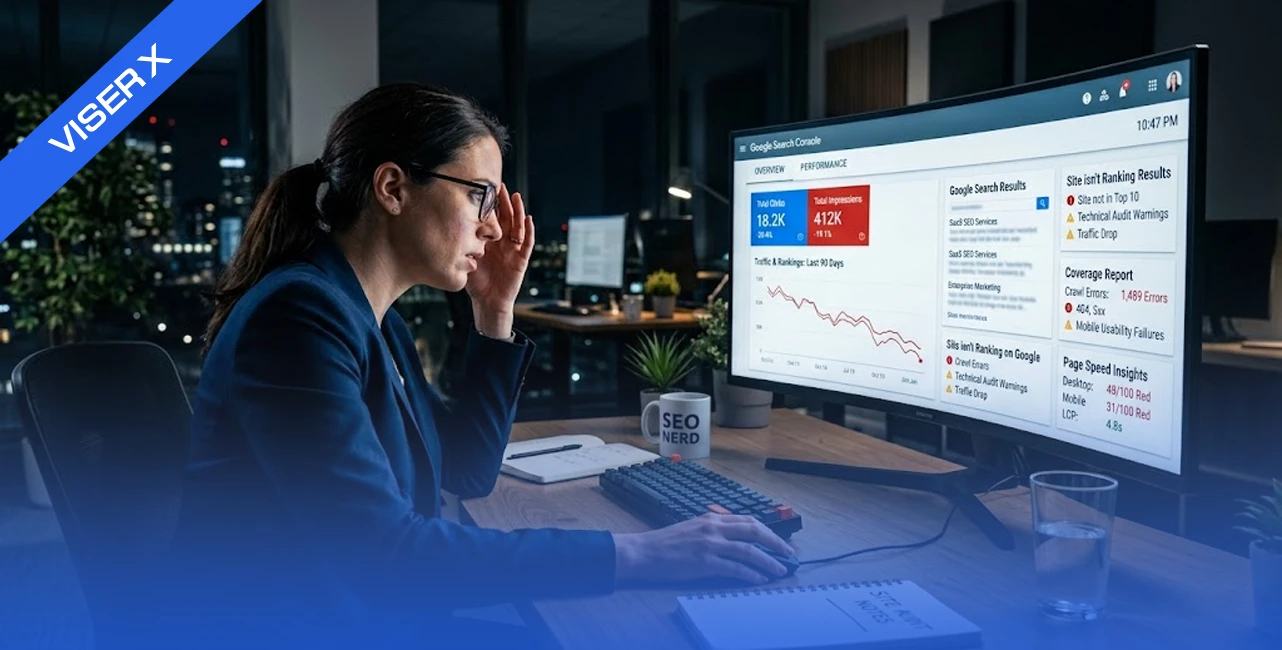
You published the page. You wrote the content. You waited. And nothing happened!
Why do web pages don't rank on Google even when you have done everything right? This is one of the most common and most frustrating problems in SEO - and the answer is almost never just one thing.
The truth is, Google has to first find your page, then understand it, then trust it, and only then decide to rank it. If anything breaks in that chain, your page stays invisible.
No traffic. No leads. No results!
This blog breaks down every reason your pages are not showing in Google search - and gives you a clear, week-by-week plan to fix it.
Is Your Page Even Eligible to Rank? Run This Checklist First
Before you do your advanced fixes, start with the basics. Many websites fail this first gate - and everything else becomes irrelevant if your page cannot even enter Google's index.
Ask yourself these questions:
- Is the page blocked in your robots.txt file?
- Your page is indexed (search: site:yourdomain.com/page-url)
- Does the page have a no-index meta tag on it?
- Is it included in your XML sitemap?
- It returns 200 status code (not 404 or redirect)
- It is not a duplicate or canonicalized page
- Does Google Search Console show the page as indexed?
Go to Google Search Console, use the URL Inspection Tool, and check your most important pages first. If GSC shows "URL is not on Google," that is your starting point - not keyword research, not content rewrites.
If your page is not even eligible to rank, no amount of SEO work above it will help.
Technical Issues That Stop Google From Finding and Ranking Your Pages
Before you do your advanced fixes, start with the basics. Many websites fail this first gate - and everything else becomes irrelevant if your page cannot even enter Google's index.
Ask yourself these questions:
- Is the page blocked in your robots.txt file?
- Your page is indexed (search: site:yourdomain.com/page-url)
- Does the page have a no-index meta tag on it?
- Is it included in your XML sitemap?
- It returns 200 status code (not 404 or redirect)
- It is not a duplicate or canonicalized page
- Does Google Search Console show the page as indexed?
Go to Google Search Console, use the URL Inspection Tool, and check your most important pages first. If GSC shows "URL is not on Google," that is your starting point - not keyword research, not content rewrites.
If your page is not even eligible to rank, no amount of SEO work above it will help.
Technical Issues That Stop Google From Finding and Ranking Your Pages
This is where most SEO ranking issues begin. Not with content. Not with backlinks. With technical problems that stop Google from even reaching your pages.
Crawlability Blocks
Google uses bots called Googlebots to crawl your website. If anything blocks those bots, your pages never get discovered.
The most common website crawlability issues include:
- Blocked robots.txt: A single line like Disallow: /blog/ can wipe your entire blog from Google's view. This often happens when a developer sets it during testing and forgets to remove it.
- Broken internal links: Links that point to dead pages stop Googlebot in its tracks. It cannot follow a link that goes nowhere.
- Poor site architecture: If your most important pages are buried five clicks deep, Google may never find them — or may not prioritize them.
How to Fix it
Run a crawl using Screaming Frog. Check your robots.txt file at yourdomain.com/robots.txt. Make sure no valuable pages are blocked. Repair broken links immediately.
Indexing Problems
Crawling and indexing are not the same thing. A page can be crawled and still not indexed.
Google indexing problems happen when:
- A no-index tag is accidentally placed on a page meant to rank
- Conflicting canonical tags confuse Google about which version to index
- Duplicate content causes Google to pick one version and ignore the others
- Thin or low-quality content signals to Google that the page is not worth including
How to Fix It
Use the Coverage Report in Google Search Console to see which pages are excluded and why. Request indexing manually for your priority pages after fixing the underlying issue.
Crawl Budget Waste
This one surprises most site owners. Google does not crawl your entire site on every visit. It allocates a crawl budget — a limited number of pages it will crawl in a given period.
If your site has thousands of low-value pages (parameter URLs, session IDs, thin tag pages), Googlebot wastes its budget on those and never reaches your important content.
How to Fix it
Block irrelevant URLs in robots.txt. Use canonical tags to consolidate duplicate pages. Remove or no-index pages that add no value. This is a core part of crawl budget optimization.
Core Web Vitals Failures

Core Web Vitals are Google's measure of how fast and stable your pages are for real users. They directly affect your rankings as a page experience signal.
The three metrics to know:
|
Metric |
What It Measures |
Target |
|
LCP (Largest Contentful Paint) |
How fast your main content loads |
Under 2.5 seconds |
|
INP (Interaction to Next Paint) |
How fast your page responds to input |
Under 200ms |
|
CLS (Cumulative Layout Shift) |
How stable your page layout is |
Under 0.1 |
Failing these thresholds does not just hurt experience, it is a confirmed Core Web Vitals ranking factor that can push your page below competitors who pass.
How to Fix it
Run your pages through Google PageSpeed Insights. Prioritize LCP fixes first - usually large images, slow server response, or render-blocking resources. Compress images, upgrade hosting if needed, and use a CDN (Content Delivery Network — a system that stores copies of your site on servers around the world so pages load faster for users no matter where they are located).
Content Issues That Make Google Ignore Your Pages
Even if Google can find and index your page, weak content will stop it from ranking. Here is what content problems look like in practice.
Thin Content
Thin content is any page that fails to give a searcher what they actually need. It is not just about word count - a 2,000-word page can be thin if it says nothing useful.
But as a starting point, the pages under 600 words rarely rank unless they are targeting very specific, low-competition queries. Google's own Quality Rater Guidelines classify thin pages as low-effort - and they get filtered out of competitive rankings fast.
Signs your page has thin content:
- It repeats the same point in different words
- It covers a topic at surface level without real depth
- It does not answer the follow-up questions a reader would naturally have
How to Fix it
Expand thin pages. Add real examples, data, expert insights, and step-by-step detail. If two thin pages cover similar topics, merge them into one comprehensive resource and permanently redirect the old URL.
Lack of Semantic Depth (Topical Authority)
This is one of the biggest semantic SEO gaps most websites have — and rivals rarely explain it clearly.
Google does not just look at your target keyword. It looks at whether your entire page covers the topic the way an expert would. It checks for related terms, subtopics, and questions that naturally surround your main keyword.
If your page about "email marketing" never mentions open rates, segmentation, automation, or A/B testing - Google reads that as shallow coverage, even if you use the exact keyword ten times.
Topical authority comes from covering a subject comprehensively over time - through multiple well-linked pages that together signal to Google that your site genuinely owns this space.
How to Fix it:
- Research the subtopics your competitors cover and identify what your page is missing
- Use tools like SEMRush or Surfer SEO to find semantic gaps in your existing content
- Build supporting content around your main topic and link it back to your pillar page
- Link related blog posts together so Google sees the full topical picture
- Revisit and update older pages to add missing subtopics as your content library grows
Authority Issues That Make Google Distrust Your Pages
Great content without authority is like a great product with no reviews. Google needs signals from the rest of the internet to trust that your page deserves a high ranking.
Missing or Low-Quality Backlinks
Backlinks for SEO remain one of Google's most powerful ranking signals. A page with strong, relevant links from authoritative sites will beat a better-written page with no links — almost every time.
But not all links are equal. One backlink from a respected industry publication is worth more than a hundred links from random low-quality directories.
The websites winning page one in 2026 have:
- Links from relevant sites in their niche
- Editorial mentions, not just directory submissions
- Consistent link acquisition over time — not spikes that look unnatural
How to Fix it
Start by reclaiming easy wins. Search for unlinked brand mentions — sites that mention your company but do not link to you. Reach out and ask for the link. Then build a guest posting strategy targeting relevant publications in your industry.
Weak E-E-A-T Signals
E-E-A-T stands for Experience, Expertise, Authoritativeness, and Trustworthiness. It is Google's framework for evaluating whether a page deserves to rank - especially for competitive or sensitive topics.

To understand how E-E-A-T works in depth, read our other guide on Google E-E-A-T guidelines and how they impact your SEO.
Weak E-E-A-T Google ranking signals look like this:
- No author bio or credentials on the page
- No About page explaining who runs the site
- No contact information or physical address
- No reviews, press mentions, or third-party validation
- Content that feels generic and could have been written by anyone
How to Fix it:
- Add clear author bylines with credentials on every published page
- Build a detailed About page that tells your story and shows who is behind the business
- Display trust signals prominently — awards, case studies, client logos, and verified reviews
- Earn mentions and citations from respected publications in your industry
- Keep your content accurate, well-sourced, and genuinely useful — not just keyword-optimized
- As AI search systems now evaluate E-E-A-T more rigorously than ever, these signals also determine whether your pages get cited in AI Overviews (learn more in our blog on how AI is changing SEO in 2026)
- For VISER X, our track record of driving over $10 million in revenue for clients is exactly this kind of trust signal
Why Your Pages Are Invisible to AI Search Systems
This is the content gap most competitors completely miss. It is not enough to rank on Google's traditional search in 2026. Your pages also need to be visible to AI search tools like ChatGPT, Perplexity, Google's AI Overview, and Gemini.
Not Optimized for AI Retrieval
AI search systems pull answers from pages that are structured clearly, answer questions directly, and use clean heading hierarchies. If your content is buried in long paragraphs with no clear structure, AI systems skip it.
AI SEO optimization means writing for retrieval, not just for reading.
What that looks like:
- Direct answer blocks: Place a concise, clear answer at the start of each section. AI tools are looking for extractable answers, not narrative prose.
- FAQ sections with schema markup: Structured FAQ and HowTo schema helps both Google's AI Overview and third-party AI tools surface your content as a cited source.
- Clear heading structure: Use H2s and H3s that are literal questions or topic statements. "Why does my website not rank?" is better than "Understanding the Problem."
- Consistent entity mentions: Mention your brand, location, and area of expertise clearly throughout the content so AI systems can identify who you are and what you cover.
If you are a digital marketing agency in Bangladesh or running SEO services in Bangladesh, this matters even more, AI tools are increasingly used to find service providers, not just information.
The Complete SEO Fix Framework: What to Fix First
Most SEO troubleshooting checklists give you a list of things to fix but no order to fix them in. That is a problem because technical issues block everything else. You cannot content-optimize a page Google cannot find.
Here is the week-by-week framework we use at VISER X to diagnose and fix ranking problems:
Step 1: Technical Audit (Week 1)
- Run a full site crawl using Screaming Frog
This helps you see your website the way Google does. You can quickly find broken links, missing tags, duplicate pages, and crawl errors in one place.
- Fix crawl blocks, no-index errors, and redirect chains
Remove any restrictions that stop Google from accessing your pages. Clean up unnecessary redirects so crawlers can reach the final page without confusion.
- Submit a clean XML sitemap to Google Search Console
A sitemap tells Google which pages matter on your site. Make sure it only includes indexable, high-quality URLs to improve crawling efficiency.
- Address all 404 errors with 301 redirects to relevant pages
Broken pages waste SEO value and hurt user experience. Redirect them to the most relevant live pages to preserve authority and traffic.
Step 2: Indexing Check (Week 1)
- Use the GSC Coverage Report to identify excluded and “Discovered, currently not indexed” pages
This report shows which pages Google knows about but is not indexing. It helps you understand where your visibility is being blocked.
- Request indexing manually for your highest-priority pages
For important pages, don’t wait for Google. Use URL Inspection in GSC to speed up indexing and get faster visibility.
- Consolidate duplicate content with canonical tags or merges
Duplicate pages split ranking signals. Combine similar pages or use canonical tags so Google knows which version to rank.
Step 3: Core Web Vitals (Weeks 2–3)
- Run every key page through PageSpeed Insights
This tool shows real performance data and highlights what is slowing your site down. Focus on pages that drive traffic or conversions.
- Prioritize LCP and INP fixes first
Largest Contentful Paint (LCP) and Interaction to Next Paint (INP) directly affect user experience. Improving these gives quick ranking and usability gains.
- Optimize and compress images, upgrade hosting if needed, enable browser caching
Heavy images and slow servers delay page load. Proper optimization and caching make your site faster and more stable.
Step 4: Content Audit (Weeks 2–4)
- Identify all thin pages (under 600 words with low traffic)
These pages often fail to rank because they do not provide enough value. Use analytics to find pages that need improvement.
- Expand, merge, or redirect them based on potential
If a page has value, improve it. If not, merge it with a stronger page or redirect it to avoid content waste.
- Add semantic depth to existing pages, related terms, subtopics, FAQs
Cover the full topic, not just one keyword. This helps Google understand your authority and improves rankings.
- Update outdated statistics, examples, and internal links
Old content loses trust and relevance. Refreshing data and links keeps your pages competitive and accurate.
Step 5: Authority Building (Ongoing)
Sometimes websites mention your brand but don’t link to you. Turning these into backlinks is one of the easiest SEO wins.
- Launch a guest posting campaign on relevant industry publications
Publishing on trusted sites builds backlinks and brand authority. It also drives referral traffic from relevant audiences.
- Add E-E-A-T signals, author bios, case studies, trust badges - to key pages
Google looks for trust and expertise. Showing real experience and credibility improves both rankings and conversions.
Step 6: AI Optimization (Weeks 3–4)
- Add direct answer blocks to the top of key sections
AI systems prefer clear and direct answers. This increases your chances of appearing in AI Overviews and featured snippets.
- Implement FAQ schema and HowTo schema where relevant
Structured data helps search engines understand your content better. It also improves your visibility in rich results.
- Review all heading structures for clarity and question-based phrasing
Clear headings make your content easier to scan and understand. Question-based formats align better with how users search.
Step 7: Monitor and Iterate (Monthly)
- Track keyword rankings in GSC and your rank tracker of choice
Regular tracking helps you understand what is improving and what is not. Focus on trends, not just daily changes.
- Review clicks, impressions, and CTR changes in Search Console
These metrics show how users interact with your pages. Low CTR may indicate weak titles or meta descriptions.
- Update pages as competitors refresh their content
SEO is not one-time work. If competitors improve their content, you must update yours to stay competitive.
How to Use Internal Links to Boost Page Authority

Internal links strategically link from high-authority, established pages to lower-ranking "money pages" using descriptive anchor text.
Internal linking is one of the most underused SEO levers on most websites. When you link from a high-traffic page to a newer, weaker page, you pass authority, and you give Google a clear signal about which pages matter most.
Done well, internal linking also reduces bounce rate by keeping visitors on your site longer and guiding them toward related content.
How to do it right:
- Use descriptive anchor text. "Click here" tells Google nothing. "Learn how to fix Core Web Vitals" tells Google exactly what the linked page is about.
- Link from your strongest pages first. Identify your pages with the most traffic and backlinks, then add links from those to pages you want to rank.
- Link related content together. If you have written about technical SEO, on-page SEO, and link building, they should all link to each other to form a topic cluster.
- Audit for orphan pages. Any page with no internal links pointing to it is essentially invisible to both Google and your users.
For example, if you are reading this blog and want to understand how content strategy ties into SEO performance, explore how VISER X approaches digital marketing to see how each layer connects.
Still Not Ranking? Let VISER X Diagnose Your Site
Most ranking problems are fixable. But finding them requires knowing exactly where to look — across your technical setup, your content, your authority profile, and now your AI visibility.
At VISER X, we have helped businesses across Bangladesh and globally recover lost rankings, fix silent technical issues, and build the kind of SEO foundation that compounds over time. As a leading digital marketing agency in Bangladesh, we combine technical precision with content strategy and authority building to move pages from invisible to page one.
If your pages are not ranking the way they should, you do not need to guess anymore.
Book a free SEO strategy session with VISER X and let us show you exactly what is holding your site back, and how to fix it
Some Common on FAQs on Why Web Pages Don't Rank on Google
01. How long does it take for a page to rank on Google after publishing?
New pages typically take 3 to 6 months to rank on competitive keywords. However, pages targeting low-competition long-tail queries can appear in results within a few weeks, especially on established domains with strong crawl health.
02. My page is indexed but still not ranking. Why?
Indexing does not guarantee ranking. Your page may be indexed but losing to competitors with stronger content, more backlinks, better E-E-A-T signals, or more relevant semantic coverage. Use GSC to check impressions, if your page has zero impressions, the issue is relevance or authority, not indexing.
03. Why is my website not ranking on Google even after months?
The most common causes are, targeting keywords that are too competitive, thin or shallow content, weak backlink profile, technical issues silently blocking crawling or indexing, or poor Core Web Vitals scores. Run a full SEO audit using Google Search Console and Screaming Frog before assuming the issue is content alone.
04. Can no-index accidentally be the reason pages are not showing in Google search?
Yes! and it happens more often than most site owners realize. Accidentally placing a no-index tag during development and forgetting to remove it is one of the most common technical SEO mistakes. Always check URL Inspection in GSC for any page that is missing from search results.
05. Does page speed actually affect Google rankings?
Yes! Core Web Vitals, LCP, INP, and CLS, are confirmed ranking signals. A page that loads in under 2.5 seconds will consistently outperform a slower competitor on the same topic when all other factors are equal. More importantly, slow pages lose users before they even read your content.
06. How many backlinks do I need to rank?
There is no magic number. What matters is relevance and authority. One backlink from a trusted, relevant industry site can move rankings more than fifty links from unrelated directories. Focus on quality and build links consistently over time rather than chasing volume.
07. Does AI search affect how my pages rank on Google?
Yes, increasingly. Google's AI Overview pulls answers from well-structured, authoritative pages. If your content is not organized with clear headings, direct answers, and schema markup, it is less likely to appear in AI-generated summaries, which are now appearing above traditional organic results for many queries.