How to Track Meta Ads Leads Through the Entire Sales Funnel (2026 Guide)
- Post By: FAISAL MUSTAFA
- Published: October 24, 2026
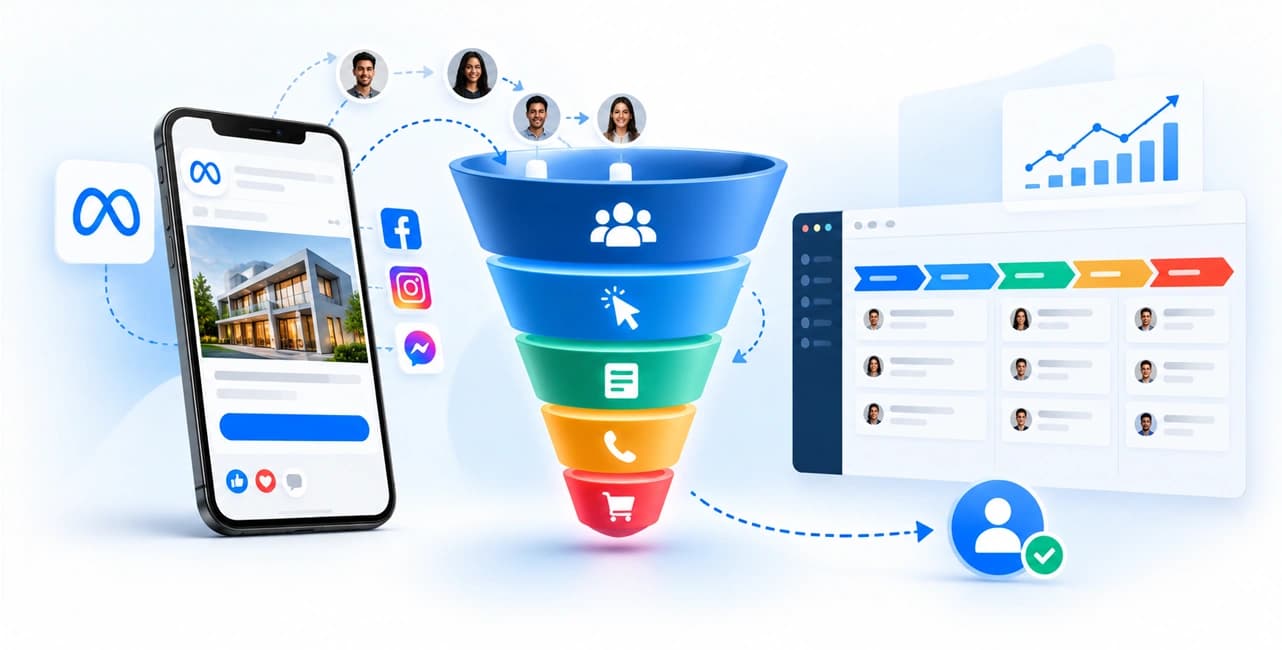


To track Meta ads leads through the sales funnel, save a stable ID for every lead, such as the Meta lead ID or fbclid(the click ID Meta adds to your landing page URL when someone clicks your ad).
Log every change in the CRM stage with a timestamp, then send the useful stages back to Meta. Ads Manager shows who clicked or submitted a form.
Only your CRM shows who qualified and who paid. Our Facebook Ads management service tracks every lead from the first click to the closed sale, so you see which ads earn real revenue.
Meta ads lead tracking works when four pieces connect your ads, website, CRM, and Meta.
- Capture IDs at the start. Save the fbclid from the landing page URL, or the Meta lead ID from an Instant Form, the moment the lead arrives.
- Report from two places. Run the Pixel in the browser and the Meta Conversions API on your server. A shared event_id prevents Meta from counting the same action twice.
- Keep every stage in one place. Meta's Leads Center gives a quick view of leads. Your CRM holds the truth about who qualified and who paid.
- Send CRM stages back to Meta. A Conversions API for CRM setup teaches Meta to find buyers, not just form fillers.
Each of these pieces can fail without any warning.
Fix them in order, starting with what full-funnel tracking really measures, then the ID each lead source gives you, then the six steps that tie it all together.
What Does Full-Funnel Meta Lead Tracking Actually Mean?
Full-funnel tracking lets you follow a single person from a Meta ad to a closed sale.
At VISER X, the first question we ask in a Facebook Ads audit is "what happened to the lead after the form?", not "what was the CPL?". Most accounts can't answer it.
Four things have to work together.
- Attribution decides which ad interaction gets credit.
- Identity matching links the form, cookie, conversation and CRM record.
- Lifecycle tracking timestamps every stage.
- Feedback sends useful outcomes back to Meta.
Perfect one-to-one Facebook ads attribution in your CRM is not realistic.
Consent choices, devices, and attribution rules mean that Meta and your CRM will never exactly match. Aim to know why they differ, and trust the CRM for revenue.
The four stages you need to see: lead, qualified lead, opportunity, and customer
A Meta lead moves through four stages: lead, qualified lead, opportunity, and customer.
Give each stage a written definition and a timestamp field in your CRM. Without both, two reps will count the same person two different ways.
|
|
|
|
|
|
|
|
|
|
|
|
|
|
|
|
|
|
|
|
Write entry and exit rules for each stage. "Sales called them" is an activity, not a qualification rule.
Say you spend $5,000 and get 500 leads, 100 qualified leads, 25 opportunities, and 10 customers who each pay $2,000. These are illustrative numbers, not client data.
Why do Ads Manager and your CRM never show the same number?
The two systems count different things.
Ads Manager counts attributed events, and your CRM counts people and stages. Duplicates, time zones, spam, and consent choices each shave off a little, and the small gaps stack up.
Many articles cite a 15-40% gap, but few explain how to identify its cause. Work down this table, and start with duplicates and connector failures, since they cost the least to check.
|
|
|
|
|
|
|
|
|
|
|
|
|
|
|
|
|
|
|
|
|
|
|
|
|
|
|
|
|
|
|
|
|
|
|
|
|
|
|
|
|
|
|
|
Which Lead Source Are You Tracking? Instant Forms, Website Forms, or WhatsApp
Each Meta lead source hands you a different ID. Instant Forms give you a Meta lead ID.
Website forms give you fbclid, cookies, and UTMs. Click-to-WhatsApp ads give you IDs from the messaging platform. Find out which you have before you build anything.
|
|
|
|
|
|
|
|
|
|
|
|
|
|
|
|
|
|
|
|
|
|
|
|
|
Instant Forms (Lead Ads): The Meta lead ID is your anchor
Store the Meta lead ID on every CRM record.
Meta's CRM guidance says the best way to increase lead coverage is to include that ID in every event you send, along with the raw lead event (per Meta documentation).
Without it, you fall back on weaker matches such as click ID, phone, or email.
Any Facebook lead ads CRM integration can break in the same seven places.
- Default field names. Renamed fields can break the CRM mapping.
- One-word names. A single-word full name can block lead creation in some CRMs.
- Credentials. Changing passwords or revoking app access breaks the connection.
- Lead access. The CRM or connector needs permission to read the leads.
- Archived forms. They go inactive, so their leads stop flowing.
- Sync delay. Some connectors lag by about a minute, so time your own.
- Consent checkboxes. Map them to CRM marketing-preference fields, not a notes field.
The same checks apply when you connect Meta Lead Ads to HubSpot, Salesforce or Zoho, and when you use a custom CRM.
Website and landing page forms: keep your UTMs and fbclid
On a website form, fbclid lives only in the landing page URL.
If the visitor clicks to another page, it vanishes unless you saved it. Capture it on arrival, then carry it into the form with hidden fields.
Meta wants you to send two small browser codes, _fbc and _fbp, along with your server events. The _fbc code shows which ad the person clicked.
The _fbp code shows which browser they used. Send both whenever you have them, because they help Meta match each sale to the right ad.
If _fbc is missing but the URL has an fbclid, build it as fb.subdomainIndex.creationTime.fbclid.
If your site has no _fbc cookie, you can build the value yourself. Write it like this: fb.1. time.fbclid. Keep the 1 as it is. Swap “time” for the moment you first saw the fbclid, counted in milliseconds.
Copy the fbclid exactly as it arrived, with the same capital and small letters. Only build an FBC for visitors who really clicked a Meta ad. Never make one up.
Add these hidden fields to every form so nothing gets lost: fbclid, fbc, fbp, utm_source, utm_medium, utm_campaign, utm_content, utm_term, landing_page_url, referrer_url, and event_id. The event_id lets you match the same action later, so Meta does not count it twice.
Five failures cause most of the damage.
- Redirects. They strip the query string, taking fbclid and UTMs with it.
- Multi-step forms. Hidden values don't carry to step two.
- Resubmission overwrites. A second submission replaces the first-touch source.
- Missing CRM mapping. The form captures the value, but the CRM has no field for it.
- Slow pages. Visitors leave before they submit. Our website speed optimization service and free PageSpeed Insights checker help here.
If your form and CRM need rebuilding, our web development team handles it.
The same hidden-field method works for Google's click ID, gclid, which our Google Ads management service covers.
Click-to-WhatsApp and Messenger ads: track conversations, not forms
In messaging ads, the lead is a conversation, not a form.
Good click-to-WhatsApp ads tracking starts by saving the click ID that the messaging platform sends with the first message. Without it, you cannot tie a later sale back to the ad.
Meta says the Conversions API now covers messaging from Messenger, Instagram, and WhatsApp. The usual route from chat to CRM has five steps.
- A user clicks the ad and sends a message.
- The platform delivers the message to your system. For WhatsApp, the payload includes a ctwa_clid click ID.
- Your integration creates or matches a CRM contact and stores that ID.
- Sales qualifies the chat, opens an opportunity, and then closes the sale.
- Your system sends each event back to Meta with the stored ID.
This matters in Bangladesh, South Asia, and MENA (Middle East and North Africa), where much of the sales happen in chat.
Don't count every "hello" as a qualified lead. Add the fields conversation_started_at, first_reply_at, and qualification_status.
Step-by-Step: Build Your Meta Lead Tracking System
Six steps build a working tracking system.
Define your stages, add CRM fields, sync leads in real time, run the Pixel and Conversions API with deduplication, send CRM stages back to Meta, then test the loop before you spend.
Each step names the fields to use and their most common failure.
Step 1: Define your funnel stages and conversion events
List your stages, who owns each one, and what moves a lead forward. Then match each stage to a CRM value, a timestamp, and the event you will send to Meta.
|
|
|
|
|
|
|
|
|
|
|
|
|
|
|
|
|
|
|
|
|
|
|
|
|
Most common failure. Marketing and sales use the same stage names with different meanings.
Step 2: Set up the CRM fields that hold attribution data
Create CRM fields in two groups. Write-once fields never change after the first save. Journey fields change as the lead moves.
- Write-once fields. meta_lead_id, meta_form_id, first_fbclid, first_fbc, first_fbp, first UTMs, first_landing_page, original_lead_source.
- Journey fields. lifecycle_stage, qualification_reason, disqualification_reason, opportunity_id, revenue, currency.
- Consent fields. marketing_consent, consent_timestamp, consent_source.
Most common failure. The form collects the ID, but the CRM has nowhere to store it.
Step 3: Sync leads into your CRM in real time
Get every lead into the CRM fast, with its IDs attached and without overwriting an existing record's source.
A reliable flow validates the lead, searches for an existing contact, creates or updates it, assigns an owner, logs the sync time, and retries failures.
Ignore unsourced claims about speed, and track your own median first-response time instead. If you need a CRM built around your sales process, see our CRM software development service.
Step 4: Install the Meta Pixel and Conversions API with deduplication
Run the Pixel in the browser and the Conversions API on your server or in your CRM.
Give both copies of the same action the same event_name and event_id so Meta can merge them. Meta says you must set up a deduplication method when you run both.
- Match the spelling exactly. Purchase and purchase look like different events.
- Send fbc and fbp with every event when you have them.
- Check the Deduplication view in Events Manager and use Test Events before going live.
- Send clean, consented customer data to earn strong Event Match Quality.
The most common failure is the browser and the server creating different event_id values for the same action.
Step 5: Send CRM stage changes back to Meta
Send only the stage sales that have actually been decided.
Meta's Conversion Leads goal works for Instant Form campaigns that generate at least 200 leads a month, where the stage you want to optimize has a conversion rate between 1% and 40% (Meta’s Conversion documentation).
Meta also asks for Lead Coverage of at least 60%, the share of leads that have matching events uploaded.
Include the Meta lead ID and upload the raw lead event. Meta’s Conversion Leads FAQ says real-time calls are ideal, and hourly or daily batches also work.
This is conversion leads optimization, and it aims to deliver to people likely to reach a later stage.
Don't change Pixels after you finish the integration, because a new Pixel restarts training. Expect one to two months of training before the gains show.
Meta ads offline conversions are sales that happen outside Meta, such as a closed deal in your CRM.
For website and WhatsApp leads, send those stages through the Conversions API as custom events.
If customer events are too rare, pick the deepest stage that falls within the 1% to 40% range and still yields steady events.
Report customers and revenue from the CRM even when Meta never sees them. Whichever stage you pick, the usual mistake is sending Meta a guess instead of the decision sales has made.
Step 6: Test the full loop before you spend
Submit one test lead, follow it through every stage, and write down the time at each point.
|
|
|
|
|
|
|
|
|
|
|
|
|
|
|
|
|
|
|
|
|
|
|
|
|
|
|
|
|
|
|
|
|
|
|
|
|
|
|
|
Most teams check the form and the CRM record, then skip the rows that prove Meta received the event.
How Meta's 2026 Attribution Changes Affect Your Lead Reports
Meta removed its 7-day view and 28-day view windows from the Ads Insights API on January 12, 2026.
The click windows and the 1-day view window stay. Before you compare 2025 and 2026 results, check the attribution setting on each report.
What did Meta remove in January 2026?
Meta announced on October 16, 2025, that the Meta ads attribution window options 7d_view and 28d_view would stop returning data on January 12, 2026.
Meta reports 1-day click, 7-day click, 28-day click, 1-day engaged view, and 1-day view stay, and it says this is consistent with Ads Manager behavior.
Expect lower view-based conversions in any report that leaned on the removed windows.
Record the attribution setting with every export, so a 2025 number never sits beside a 2026 number without a label.
Long sales cycles: let the CRM be the source of truth
For long sales cycles, the CRM decides who is qualified and who has paid. Meta decides delivery and spend. Your report combines both without overwriting either.
Group leads are assigned based on the month they arrived, and then watch each group mature.
A recent group looks unprofitable because its deals haven't closed. Show a young group and a mature one side by side, so nobody cuts a good campaign early.
Which Meta Ads Metrics Show What Actually Makes You Money?
Report two layers. Platform performance covers spend, clicks, and native leads.
Commercial performance covers qualified leads, opportunities, customers, and revenue. The second layer tells you which ads make money.
Move from CPL to cost per qualified lead and cost per customer
Cost per lead hides quality. Cost per qualified lead on Meta ads and cost per customer show it. Run the formulas on the example numbers from earlier.
- Cost per lead = ad spend ÷ leads = $5,000 ÷ 500 = $10.
- Cost per qualified lead = ad spend ÷ qualified leads = $5,000 ÷ 100 = $50.
- Cost per customer = ad spend ÷ customers = $5,000 ÷ 10 = $500.
- ROAS = attributed revenue ÷ ad spend = $20,000 ÷ $5,000 = 4.0.
A campaign with a $10 CPL can lose to one with a $15 CPL if the second has a much better qualification rate.
A simple dashboard you can build in a spreadsheet or Looker Studio
Build the dashboard with six tabs: raw Meta spend, CRM funnel export, campaign ID mapping, stage definitions, reconciliation checks, and a data dictionary.
Join the tabs by campaign ID, not campaign name, because names change.
|
|
|
|
|
|
|
|
|
|
|
|
|
|
|
Weekly, monthly, and quarterly review cadence
Review connector health weekly, cost per qualified lead monthly, and cost per customer quarterly. A steady rhythm catches silent failures before they eat a budget.
|
|
|
|
|
|
|
|
|
|
|
|
Qualifications and sales cycles differ by industry
Each industry defines a qualified lead differently. Set your stages to match how your buyers really move.
- Real estate. Separate inquiries from verified buyers, viewings, and completed deals, because duplicate inquiries are common in real estate marketing.
- Finance. Track eligibility, completed applications, approval, and funded accounts, and take extra care with consent and data minimization in finance industry campaigns.
- Education. Separate inquiries, counseling, applications, offers, and paid enrolment, since intake dates can delay revenue by months in education marketing.
Tracking Meta Leads Without an Enterprise Stack
You don't need an enterprise stack to start.
You do need stable IDs, timestamps, and clear stage definitions. A spreadsheet and a connector can carry all three until your volume outgrows them.
Starter setup: Google Sheets plus a connector
Use a connector to append each new lead to a sheet.
Keep one append-only lead sheet, one status sheet, one spend import, and one campaign-ID mapping table. Include lead ID, source, campaign IDs, form ID, consent, stage timestamps, and revenue.
When to move to a proper CRM
Move to a CRM when the spreadsheet starts costing you leads. Watch for these signs.
- Several people edit the same leads.
- Duplicates pile up.
- Leads arrive from multiple forms or chat channels.
- You need opportunities and revenue tied to contacts.
- You need permissions and audit history.
- Manual stage updates delay your feedback to Meta.
Privacy, Consent, and Data Quality Rules
Good tracking depends on lawful, clean data.
Record consent, hash what Meta asks you to hash, send only what you need, and keep your formats consistent. Rules differ by market, so get a legal review for each market where you run ads.
- Consent capture. Record the choice, time, source, and privacy-notice version.
- Hashing. Normalize and hash customer data, such as email and phone, as Meta specifies. Hashing helps with matching and security, but it does not make processing lawful.
- Data minimization. Send only the fields you need and may legally send.
- Clean data. Consistent email, phone, and country formats improve match quality.
Common Meta Lead Tracking Mistakes (and Fixes)
Most tracking failures are silent. Nothing breaks on screen, and the numbers just drift. Match your symptom to the likely cause, then apply the fix.
|
|
|
|
|
|
|
|
|
|
|
|
|
|
|
|
|
|
|
|
|
|
|
|
|
|
|
|
|
|
|
|
|
|
|
|
|
|
|
|
|
|
|
|
Need Help Connecting Meta Ads to Revenue?
Your Meta ads can bring in leads all day, but only tracking shows which ones turn into sales. VISER X sets up the lead ID capture, CRM stages, and Conversions API feed so you can see cost per customer, not just cost per lead.
Talk to VISER X about your Meta lead tracking, and we will map your funnel together.
It has one link, in line with your earlier feedback on too many anchors. The contact-us URL is the one from your earlier link list, so check it before you publish. Tell me if you want this swapped into the Doc’s CTA section.
Meta Lead Tracking Questions, Answered Fast
How do I track Facebook lead ads in my CRM?
Connect your Instant Form to the CRM and save the Meta lead ID on every record.
How do I send CRM data back to Meta?
Send each stage change via the Conversions API, including the Meta lead ID and a timestamp.
Does Meta still support offline conversions?
Meta planned to end the standalone Offline Conversions API in May 2025 and point advertisers to the main Conversions API for offline events.
What is the Conversion Leads optimization goal?
It aims to deliver to people likely to reach a later sales stage, not just people who submit a form, and it works only with Instant Forms.
Why does Meta Ads Manager show more leads than my CRM?
Duplicates, spam, connector failures, time zone differences, and consent choices cause lead drops between the two systems.
What attribution window should I use for Meta lead ads in 2026?
Pick one setting, such as 7-day click, and record it with every report, since Meta removed the 7-day and 28-day view windows in January 2026.
How do I track leads from Click-to-WhatsApp ads?
Save the click ID from the first message on a CRM contact, then send each stage back through the Conversions API.
Can I track Meta leads without a CRM?
Yes, a spreadsheet with lead ID, source, stage timestamps, and revenue works until your volume outgrows it.
How long does it take for Meta to optimize for qualified leads?
Meta says to expect a training period of one to two months after your integration passes its data checks